

Seedream 5.0 Pro Image Generator
Seedream 5.0 Pro is ByteDance's professional-tier image model, built for commercial work. It adds precise grounded editing, intelligent layer separation, high-density infographics, multi-reference fusion and native text in 14 languages at 2K–3K resolution.
Create with Seedream 5.0 Pro
Seedream 5.0 Pro is selected by default. Create one image from a prompt and optional references here, or open the batch workspace when you need Variations, CSV, or Products.
Seedream 5.0 Pro model facts
The key specs of ByteDance's pro-tier image model at launch.
What Seedream 5.0 Pro is good for
A professional model aimed at commercial and design-heavy work.
Product & commercial imagery
Generate cinematic product photos, ad creatives and branded visuals with strong aesthetics and structural coherence.
Grounded local editing
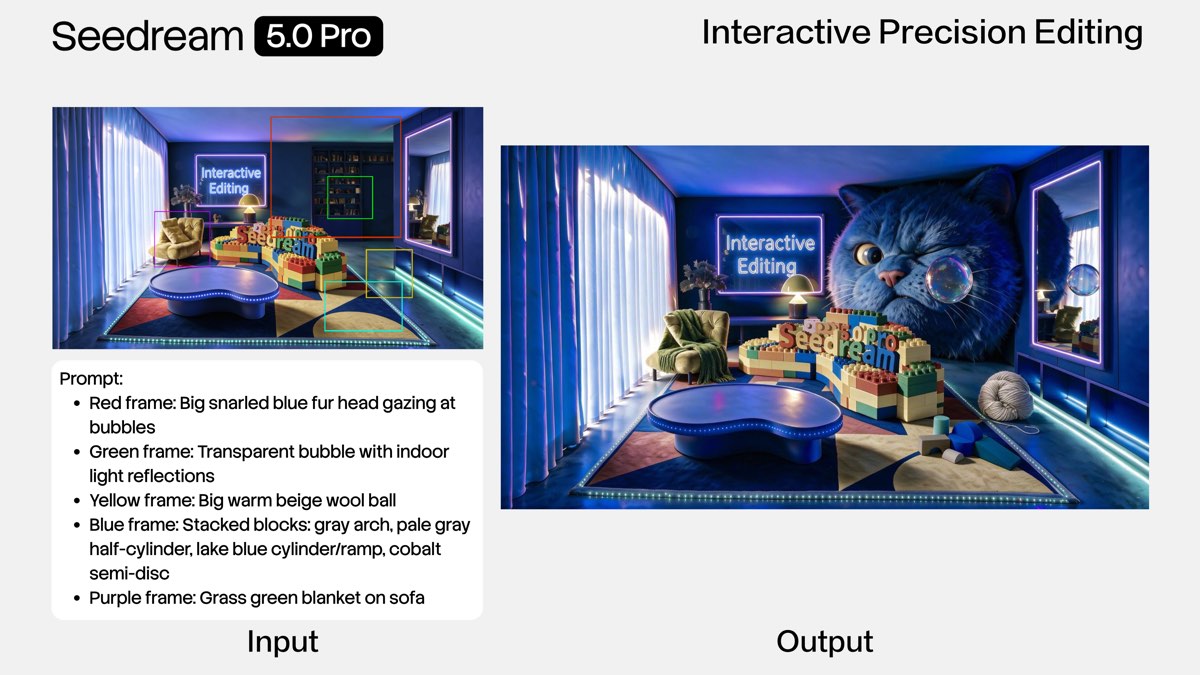
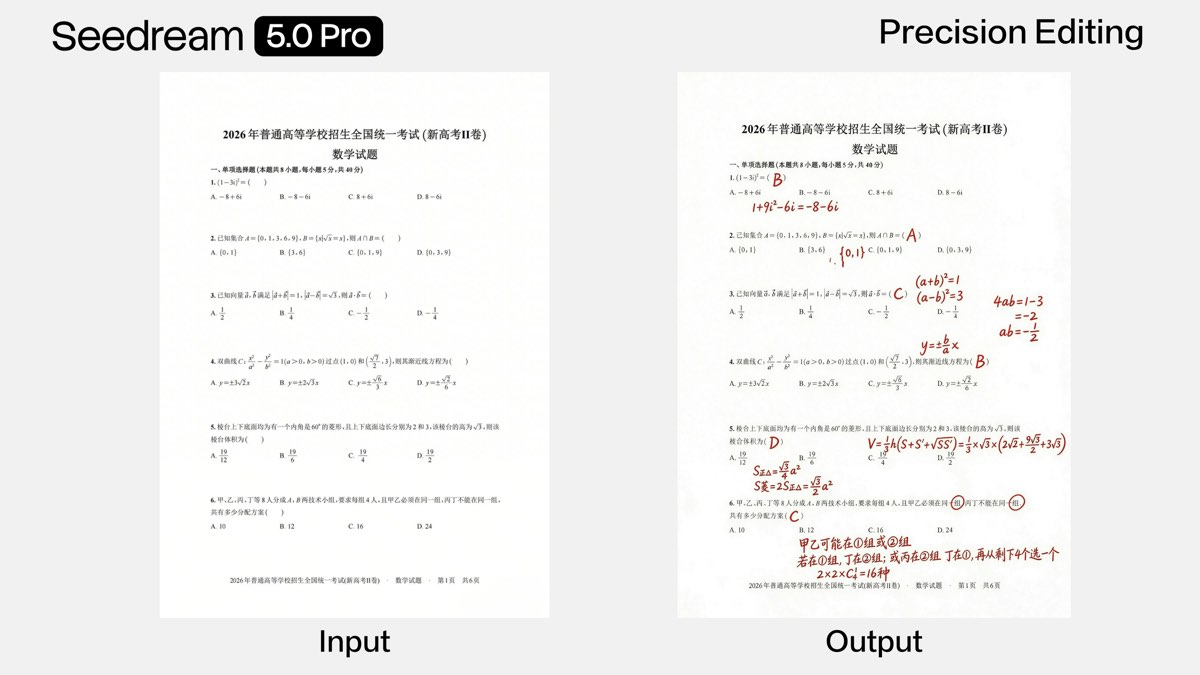
Point, lasso, box-select or doodle on a region and apply deterministic, pixel-level edits instead of re-rolling the whole image.
High-density infographics
Turn data, concepts and dense text into professional layouts and infographics that are ready to use.
Layered design assets
Split a finished poster into editable layers — text, subject, background and decorations — to drop straight into a design workflow.
Seedream 5.0 Pro examples
Official visuals showcasing the model's signature capabilities.
Grounded region editing
Official ByteDance Seedream 5.0 Pro sample.
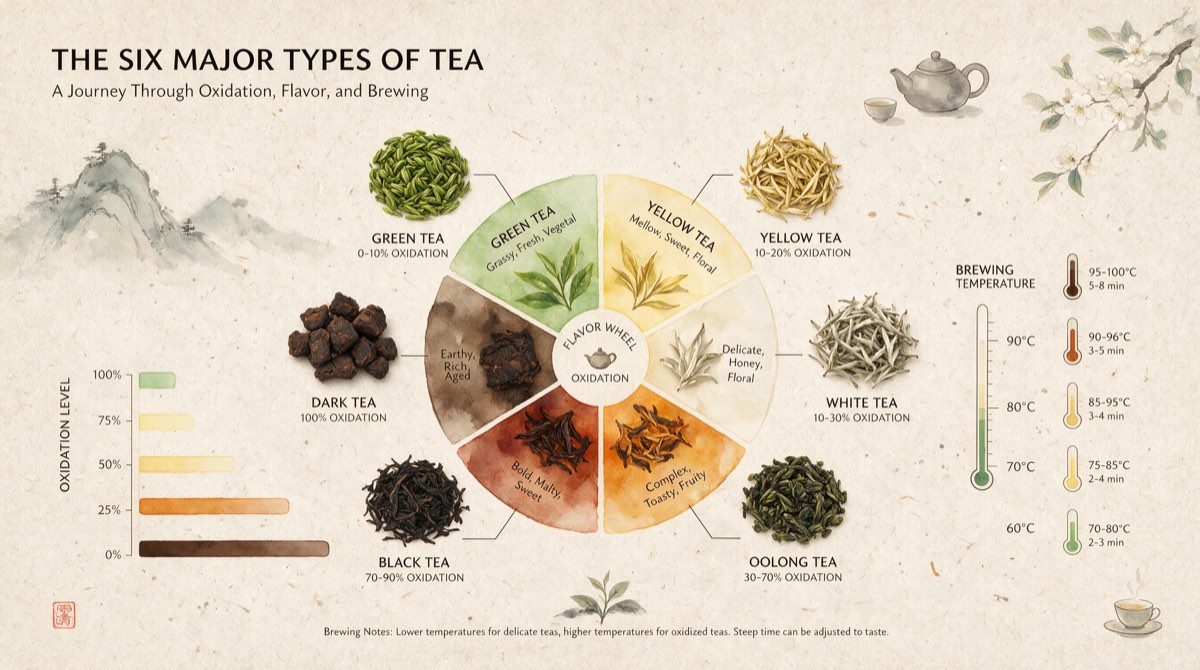
High-density infographic
Official ByteDance Seedream 5.0 Pro sample.
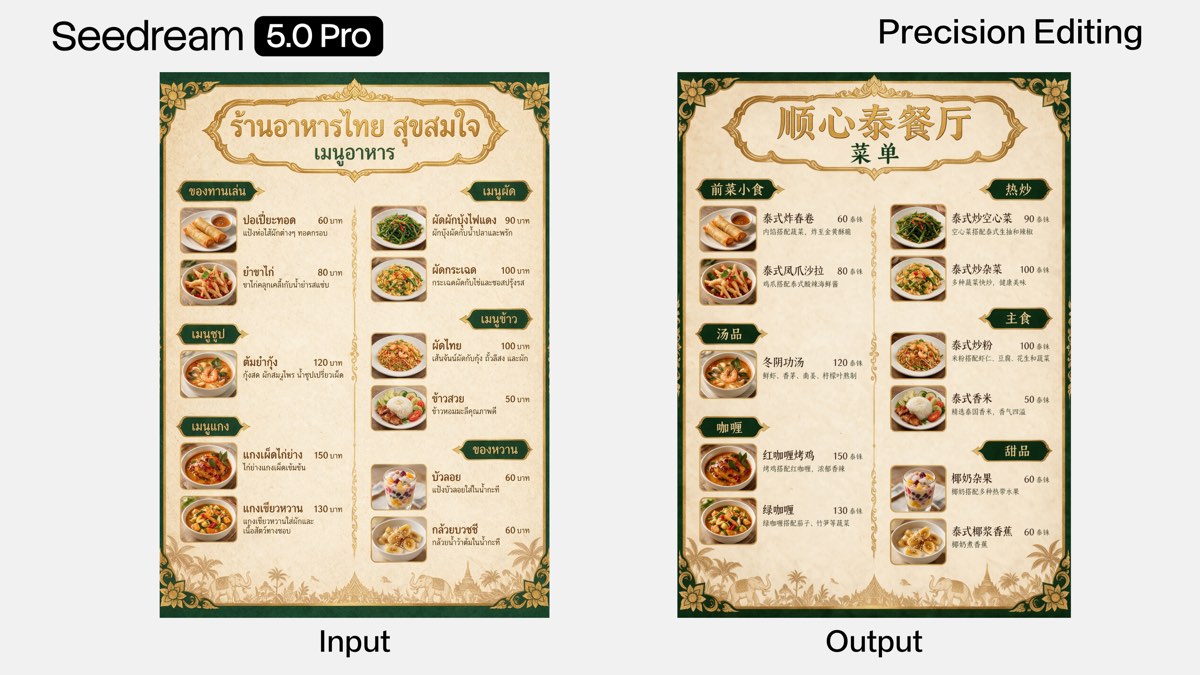
14-language text rendering
Official ByteDance Seedream 5.0 Pro sample.
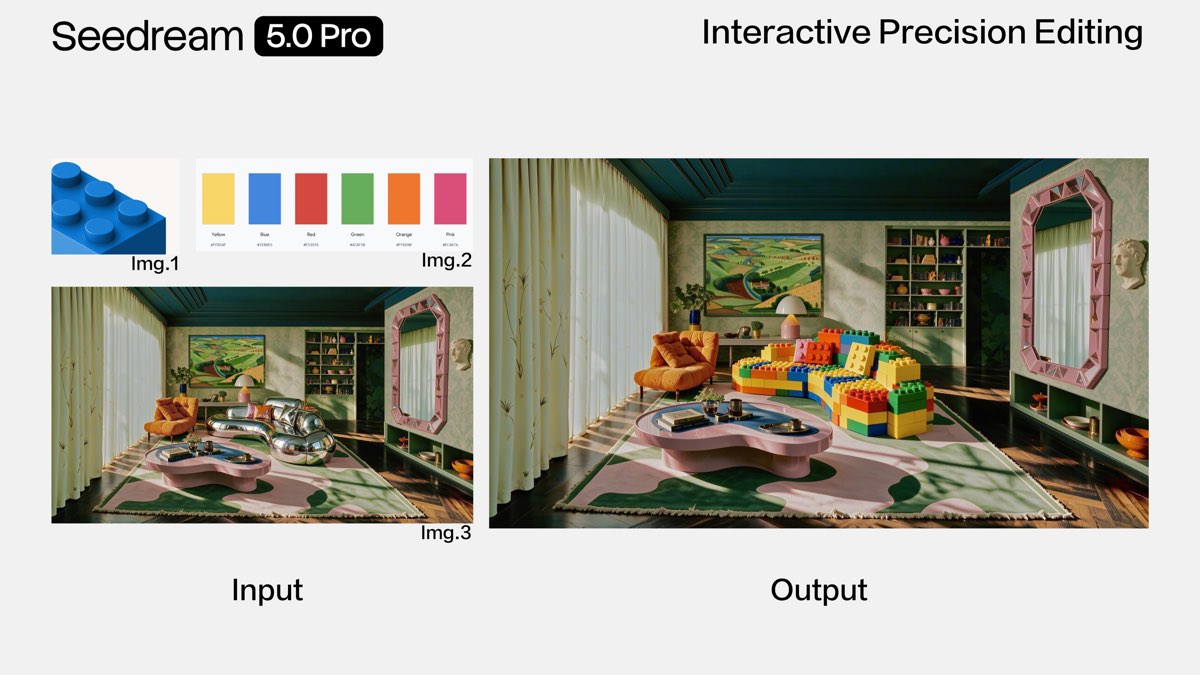
Multi-reference fusion
Official ByteDance Seedream 5.0 Pro sample.

Commercial product image
Official ByteDance Seedream 5.0 Pro sample.
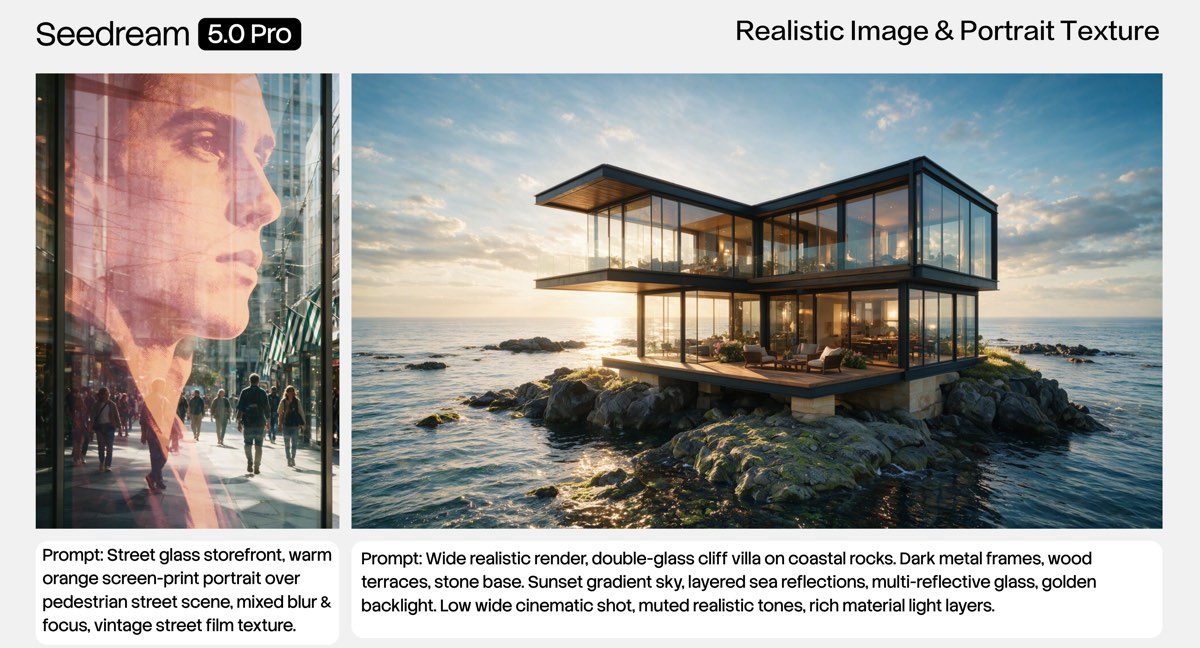
Realistic image & portrait
Official ByteDance Seedream 5.0 Pro sample.
How to use Seedream 5.0 Pro in PixBulk
Open the generator
Start a generation in PixBulk and pick Seedream 5.0 Pro as your model.
Describe or edit
Write a prompt, add reference images, or select a region to edit with grounded control.
Generate & export
Render at 2K–3K, iterate on the best results, and download or run them through PixBulk's bulk tools.
What's new in Seedream 5.0 Pro
Four capability breakthroughs over earlier Seedream versions.
Precise grounded editing
Control signals are built into generation, so point, lasso, box or doodle selections become deterministic local edits with pixel-level accuracy.
Intelligent layer separation
Split an image into 10+ independent layers with preserved transparency; areas behind the subject are inpainted so layers can be moved, scaled or swapped.
Complex information visualization
Parse dense text and data, reason about layout, and output professional high-density infographics ready for direct use.
Multi-reference fusion
Feed several reference materials plus a base image and the model fuses the elements into one scene as instructed.
Beyond generation
Capabilities inherited from the Seedream 5.0 family and its ecosystem.
Native 14-language text
Renders legible text natively in 14 languages, including Arabic, English, Russian, Japanese, Korean and Thai.
Built-in web search
Pulls live context for brand, trending and current-event prompts before rendering.
Deep-reasoning generation
Processes the prompt step by step, planning composition and layout before it draws.
Pairs with Seedance 2.5
Produces stable, consistent still frames that feed directly into ByteDance's Seedance video models for image-to-video.
Seedream 5.0 Pro sits at the top of ByteDance's Seedream 5.0 family, above Seedream 5.0 and 5.0 Lite, and is positioned for professional and cinematic commercial work rather than fast, basic drafts.
Seedream 5.0 Pro vs other models
Where the pro tier fits against its siblings and rival image models.
| Model | Best for | Output | Cost |
|---|---|---|---|
| Seedream 5.0 Pro | Professional editing, layers, infographics and commercial work | 2K–3K | Higher |
| Seedream 5.0 | Balanced quality text-to-image generation | 2K | Medium |
| Seedream 5.0 Lite | Fast, low-cost basic generation and drafts | Standard | Lowest |
Limits & things to know
An honest look at the model's current constraints.
As a professional tier, Seedream 5.0 Pro trades the fast, low-cost generation of 5.0 Lite for higher quality and control — it is not built for the cheapest high-volume drafting.
API access and official pricing are still rolling out through providers, so exact costs and rate limits may change as availability expands.
Seedream 5.0 Pro FAQ
What is Seedream 5.0 Pro?
Seedream 5.0 Pro is ByteDance's professional-tier image generation model, the top of the Seedream 5.0 family. It focuses on grounded editing, layer separation, high-density infographics, multi-reference fusion and native multilingual text.
Who made Seedream 5.0 Pro and when was it released?
It was built by ByteDance's Seed team and released on July 8, 2026, as the pro tier above Seedream 5.0 and 5.0 Lite.
What resolution does Seedream 5.0 Pro output?
It generates at high resolution, with multilingual text supported at 2K and 3K.
How is Seedream 5.0 Pro different from 5.0 Lite?
5.0 Lite targets fast, low-cost basic generation. 5.0 Pro is the professional tier, adding precise grounded editing, layer separation, infographic layout and multi-reference fusion for commercial work.
Can Seedream 5.0 Pro separate an image into layers?
Yes. It can split an image into 10+ independent layers — text, subject, background and decorations — with transparency preserved and hidden areas inpainted, so each layer stays editable.
How many languages can it render text in?
It natively renders text in 14 languages, including Arabic, English, Russian, Japanese, Korean and Thai.
Where can I use Seedream 5.0 Pro?
ByteDance offers it in Dreamina with free daily credits and via API through providers. You can also try it in PixBulk's generator alongside PixBulk's bulk image tools.
Does Seedream 5.0 Pro work with video?
Yes. Its high-quality stills are trusted inputs for ByteDance's Seedance 2.5 video model, feeding an image-to-video workflow with stable composition and lighting.
Sources
Official ByteDance announcements and model documentation.
Generate with Seedream 5.0 Pro in PixBulk
Try the model in PixBulk, then run your results through bulk resize, compress, rename and export.
Try it in PixBulk