

Nano Banana 2 Lite Image Generator
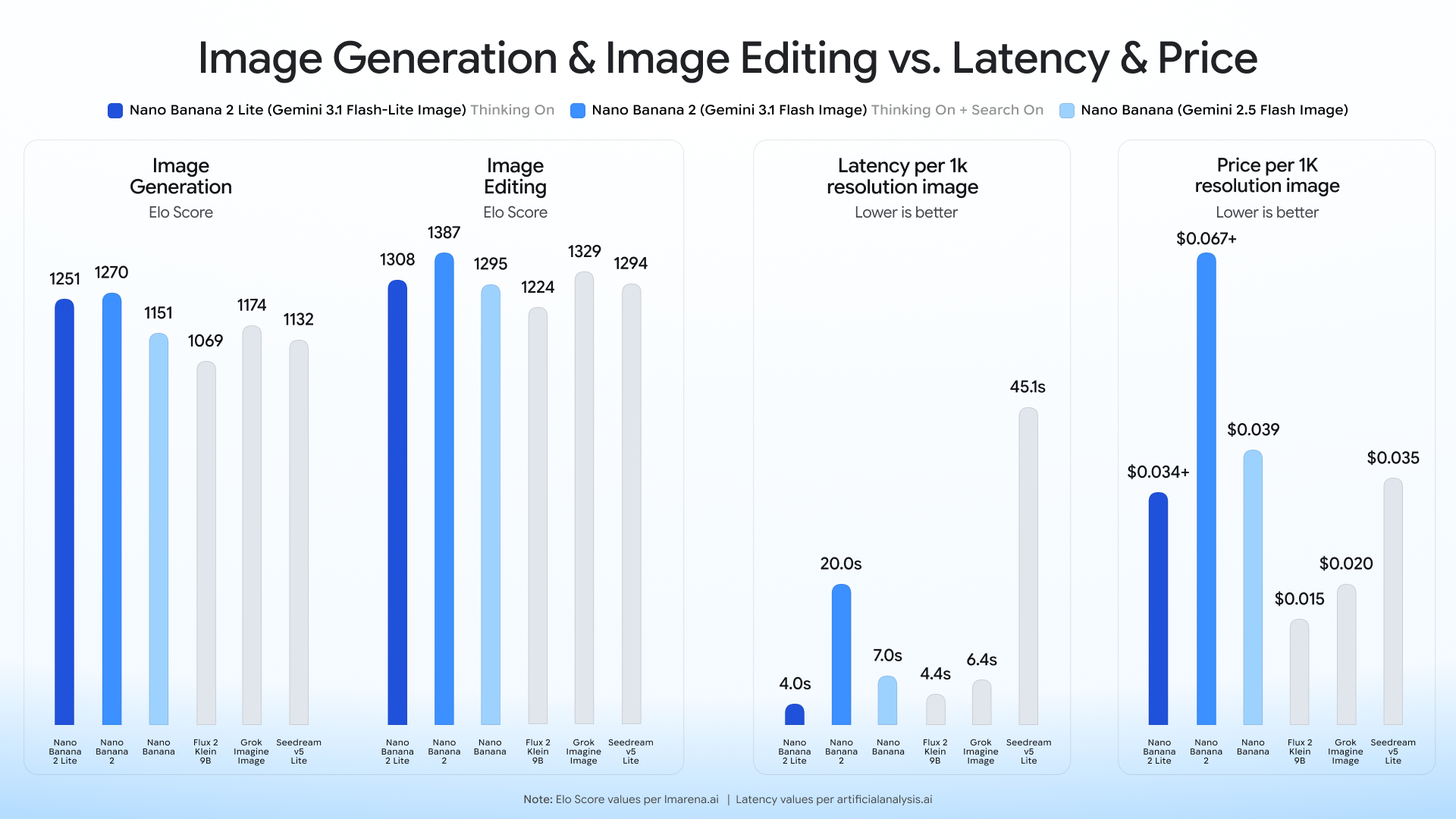
Nano Banana 2 Lite is Google's fastest, lowest-cost Gemini Image model for fast 1K image generation and editing. Use it for product image drafts, ad concepts, prompt testing, and high-volume creative iteration before polishing the best results.
Create with Nano Banana 2 Lite
Nano Banana 2 Lite is selected by default. Create one image from a prompt and optional references here, or open the batch workspace when you need Variations, CSV, or Products.
Nano Banana 2 Lite facts
The first version of this page focuses on the model details that matter before you choose it for product image generation.
Where Nano Banana 2 Lite works best
Use the Nano Banana 2 Lite image generator when speed and iteration volume matter more than final-frame polish.
Product image drafts
Create multiple product photography directions quickly, then keep the best composition for final generation, upscaling, or background cleanup.
Image editing passes
Test fast edits such as layout changes, object swaps, color direction, or scene refinements before spending credits on heavier models.
Text-heavy ad concepts
Explore poster, packaging, sale banner, and social ad concepts where improved text rendering helps you judge the idea earlier.
High-volume prompt testing
Run more prompt variations for ecommerce, marketplace, and social creative workflows without slowing down every decision.
Official Nano Banana 2 Lite image examples
These are ready-made static examples from the Google DeepMind Nano Banana 2 Lite model page, downloaded as official assets rather than extracted from video.
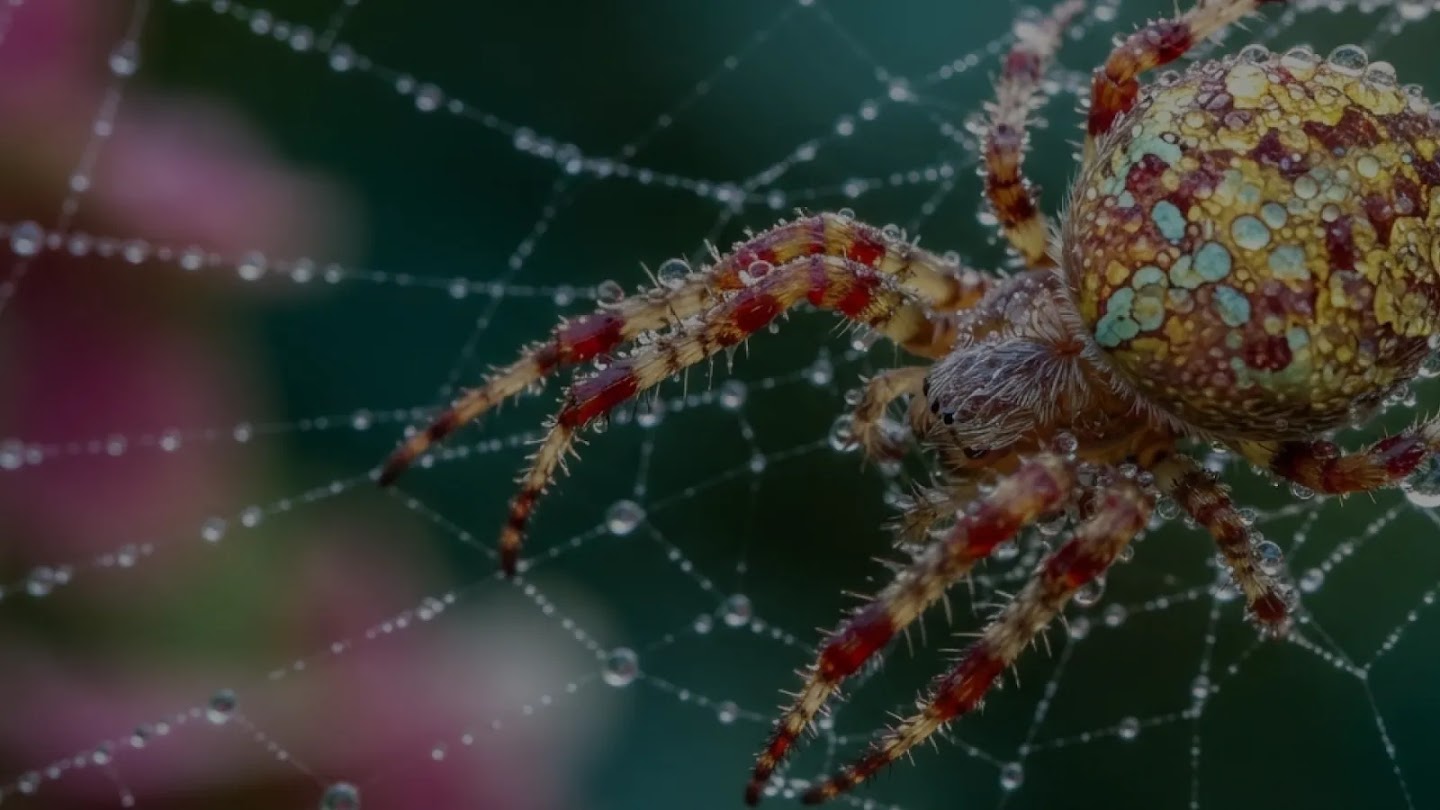
Macro wildlife detail
Official Google DeepMind model example

Action photography
Official Google DeepMind model example
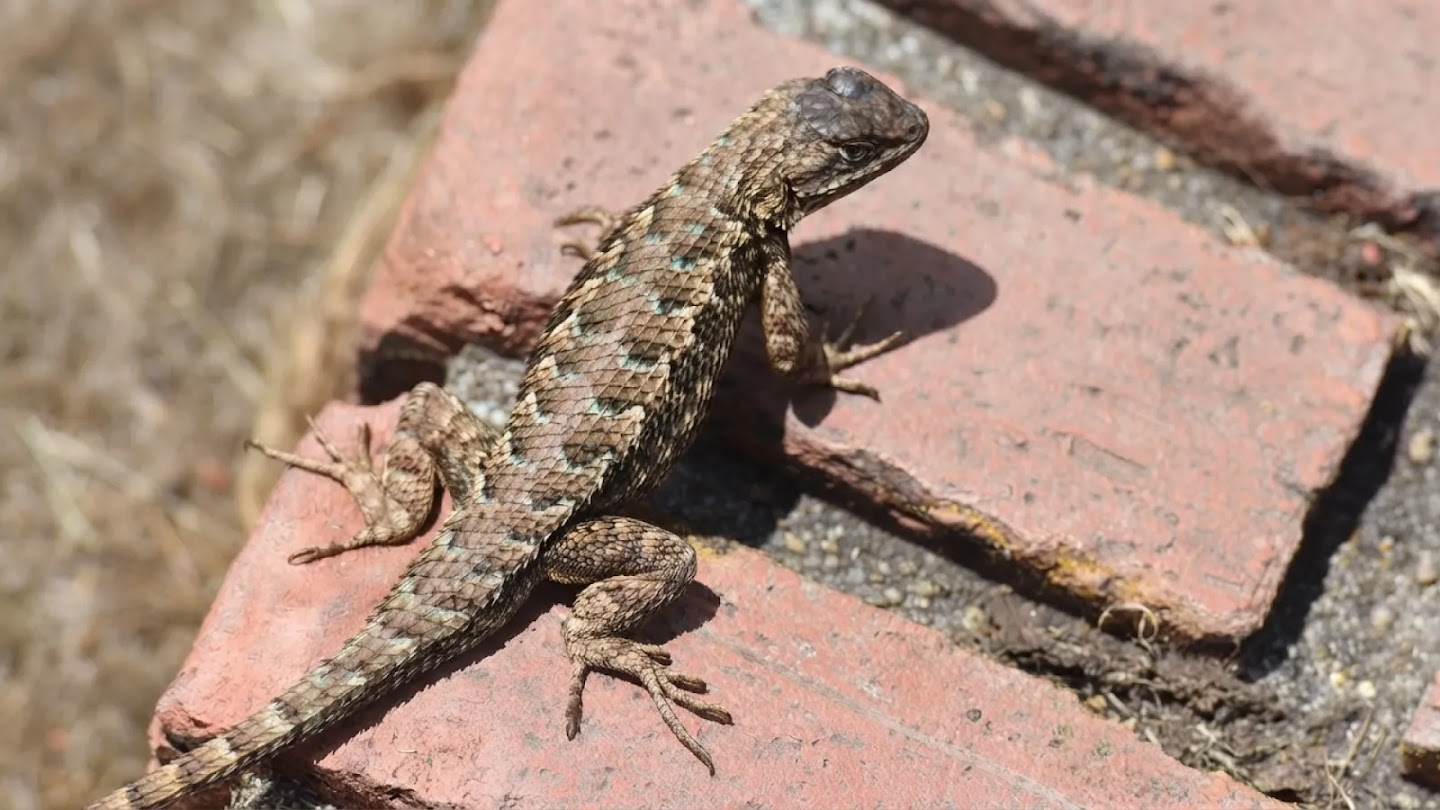
Photoreal texture
Official Google DeepMind model example

Concept art scene
Official Google DeepMind model example
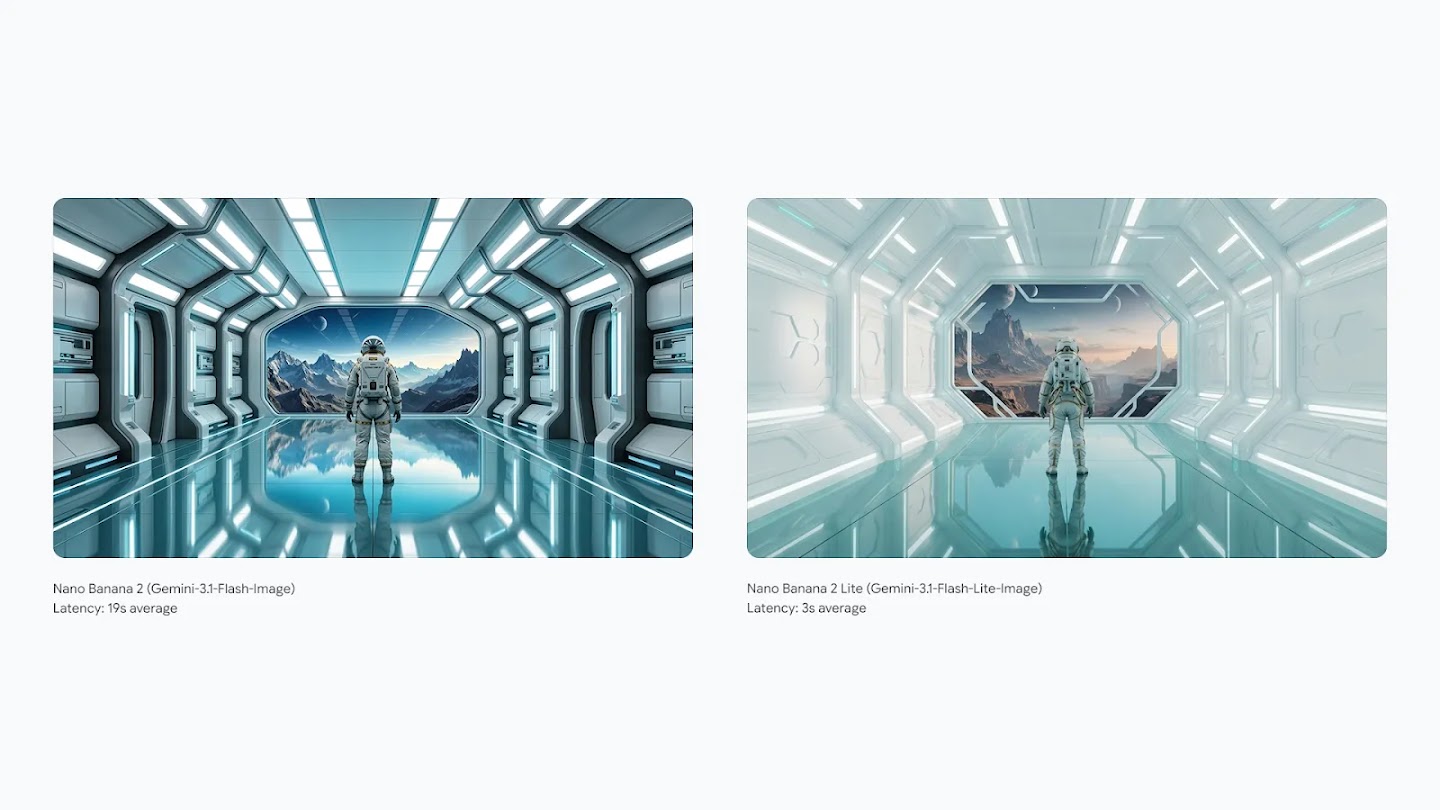
Lite comparison scene
Official Google DeepMind model example
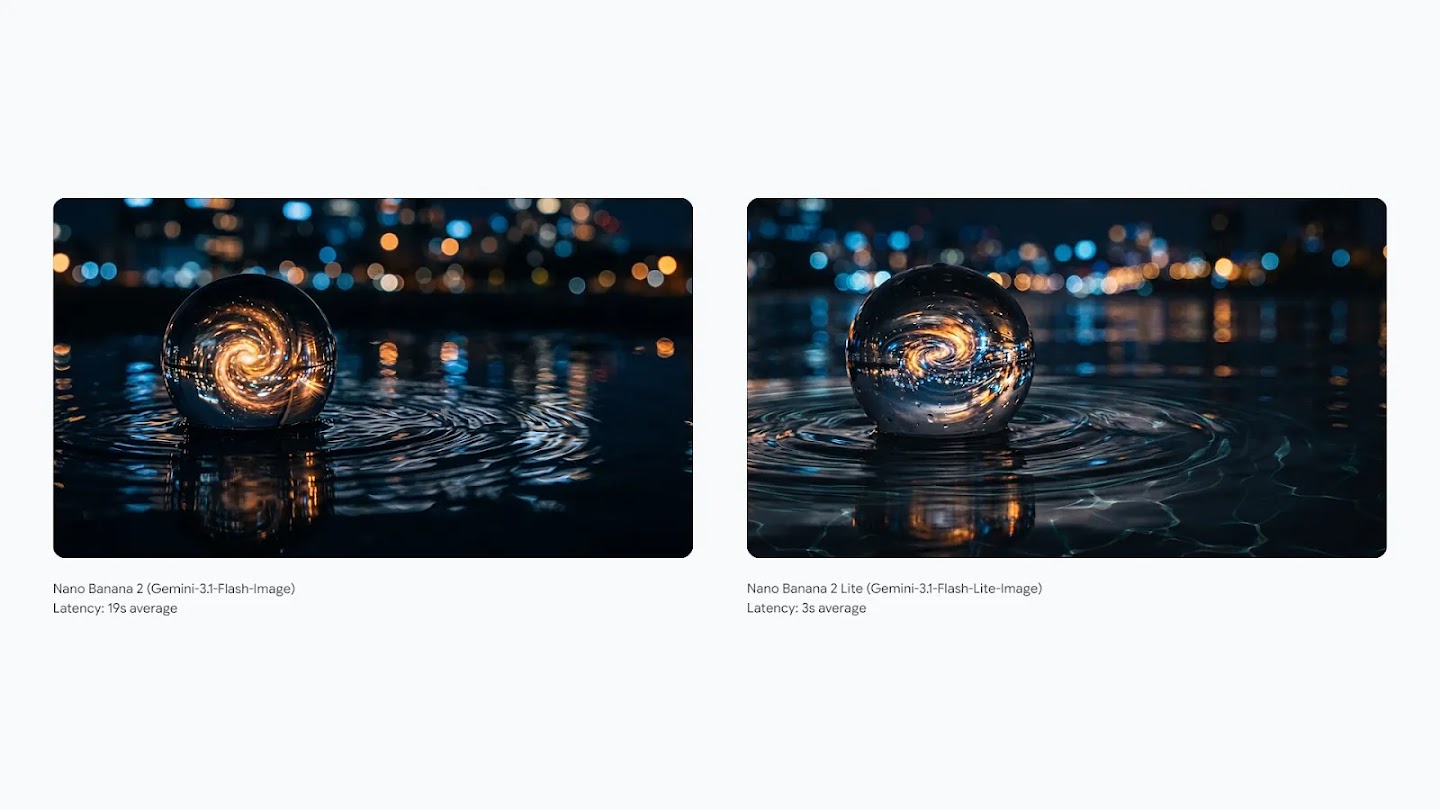
Light and reflection
Official Google DeepMind model example
How to use Nano Banana 2 Lite in PixBulk
Start from a product prompt
Describe the product, background, camera angle, style, text, and any reference image you want the model to follow.
Generate fast variations
Use Nano Banana 2 Lite for fast 1K drafts so you can compare many directions before committing to a final asset.
Polish the selected result
Send the winning image into PixBulk workflows such as upscale, background remover, resizing, or another premium generation pass.
What the model is built for
Nano Banana 2 Lite sits at the fast and economical end of Google's Gemini Image family.
Fast generation
Google positions Nano Banana 2 Lite as the fastest Gemini Image option, with text-to-image generation around four seconds.
Lower cost
The official reference price is about $0.034 per 1K image, making it suitable for large prompt exploration runs.
Generation and editing
The model supports image generation and editing, with improved prompt adherence, character consistency, and text rendering.
Safety metadata
Google says Gemini image outputs include SynthID watermarking and C2PA content credentials by default.
A practical PixBulk workflow for Lite
Treat Lite as the fast exploration layer in a product image pipeline, then use PixBulk's other tools to finish the asset.
Explore the prompt space
Start with a broad prompt and generate several quick directions. Because Lite is optimized for speed and lower cost, it is useful for discovering which camera angle, background, text placement, and product styling are worth pursuing.
Select the strongest draft
Compare the generated drafts by product clarity, brand fit, composition, and text readability. Keep the image that sells the product idea fastest instead of trying to make every variation perfect.
Refine with targeted edits
Use follow-up edits to adjust props, remove distractions, improve the product presentation, or test alternate copy. Lite is especially useful when you want to validate a change before doing a premium generation pass.
Finish with bulk tools
Once you have a keeper, move it through PixBulk upscale, background removal, resizing, conversion, or watermarking so the final image is ready for listings, ads, marketplaces, and social posts.
This keeps the expensive part of the workflow focused. Lite handles fast ideation, the stronger model handles final-quality generation when needed, and PixBulk's image tools handle the repetitive production work that normally slows down a catalogue launch. For teams managing many SKUs, this split also makes review easier: creative leads approve the direction first, operators finish the approved assets in bulk, and failed experiments do not become production bottlenecks. The result is a clearer path from concept to publishable image for product teams.
Nano Banana 2 Lite vs other PixBulk models
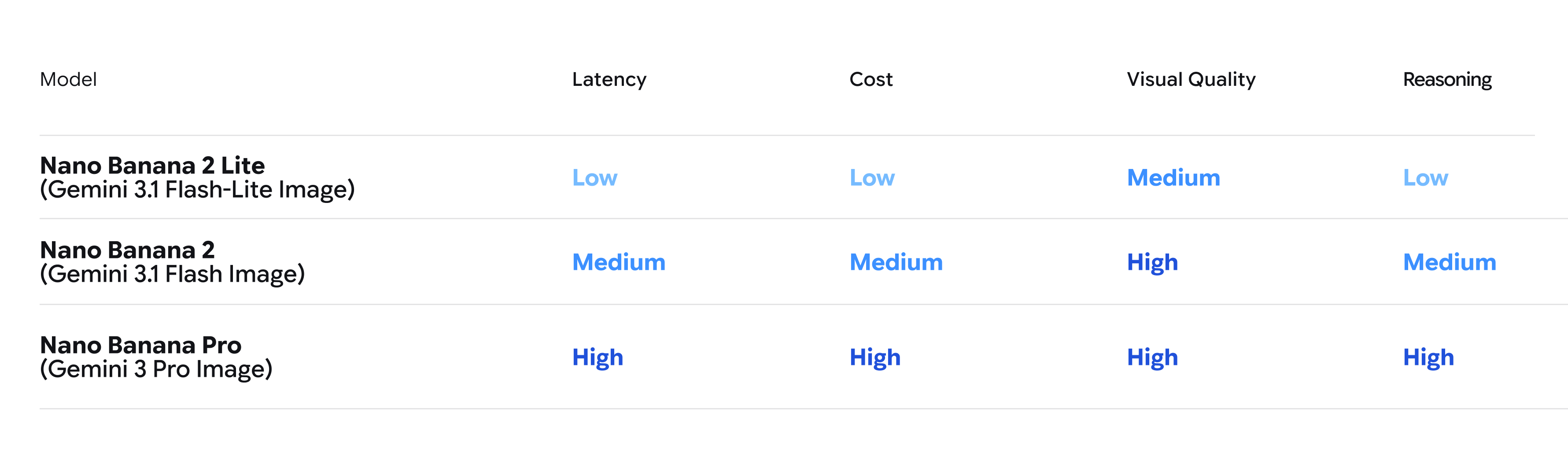
Pick Lite for fast drafts, Nano Banana 2 for balanced daily use, and Nano Banana Pro when final image quality matters most.
| Model | Best for | Output | Cost |
|---|---|---|---|
| Nano Banana 2 Lite | Fast drafts and high-volume product image iteration | 1K | Lowest |
| Nano Banana 2 | Balanced quality and speed for everyday generation | 1K+ | Medium |
| Nano Banana Pro | Premium scenes, stronger detail and final creative assets | Higher | Higher |
Limits to know before choosing Lite
The Lite model is intentionally optimized for speed and cost, so it should not replace every higher-quality generation workflow.
Output is 1K only, so use upscale or a higher-resolution model when you need large final assets.
Google's image generation docs indicate Nano Banana 2 Lite does not support Google Search grounding, so use it for visual creation rather than grounded factual image workflows.
Nano Banana 2 Lite FAQ
What is Nano Banana 2 Lite?
Nano Banana 2 Lite is a Google Gemini Image model designed for fast, low-cost 1K image generation and image editing.
What is the Nano Banana 2 Lite API model ID?
Google lists the API model ID as gemini-3.1-flash-lite-image.
Is Nano Banana 2 Lite good for product images?
Yes. It is a good fit for fast product image drafts, ecommerce ad concepts, layout exploration, and prompt testing before final polishing.
What resolution does Nano Banana 2 Lite output?
Google's published model information lists Nano Banana 2 Lite output as 1K images.
How fast is Nano Banana 2 Lite?
Google describes text-to-image generation as roughly four seconds, making it the speed-focused option in the Gemini Image family.
Does Nano Banana 2 Lite support image editing?
Yes. Google's announcement and documentation describe Nano Banana 2 Lite as supporting both image generation and editing.
When should I use Nano Banana Pro instead?
Use Nano Banana Pro when the image is close to final, when detail and polish matter more than speed, or when you need a stronger premium result.
Is Nano Banana 2 Lite available in PixBulk now?
Yes. Start from the PixBulk generator, choose the model option when available, and use the rest of the PixBulk workflow to refine the result.
Official sources and materials
This page uses public Google and DeepMind information for model claims and official Google launch assets for the visuals.
Start with fast Nano Banana 2 Lite drafts
Generate quick product image directions first, then polish the winning result with the rest of the PixBulk workflow.
Try it in PixBulk